1. Log into your account at https://hrssystems.com/

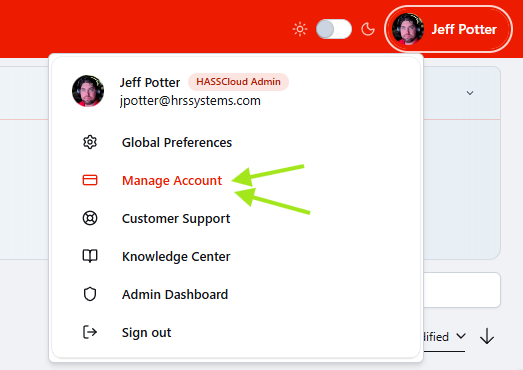
2. Once logged in click on your profile icon in the top right corner, and then click manage account
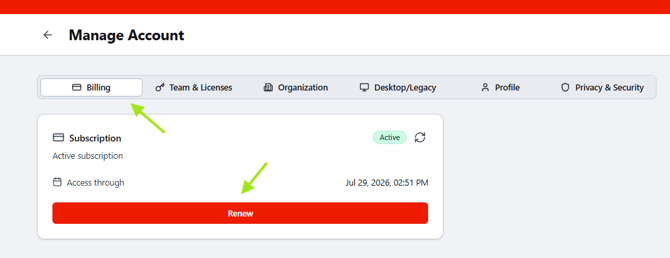
3. You will now be in your account page, from here ensure you are in the billing tab, and then click renew.
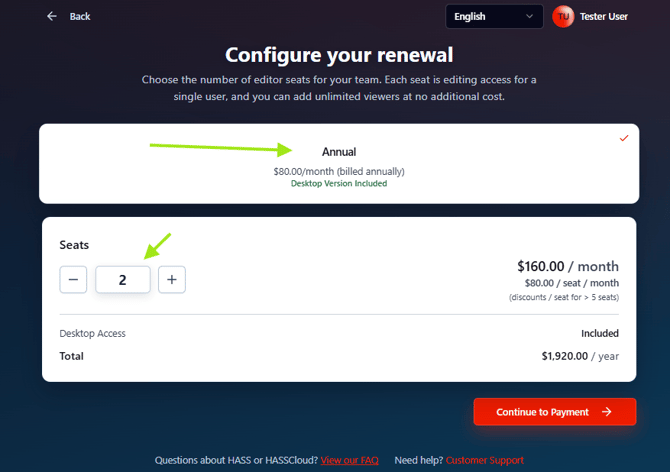
4. Ensure you have selected either monthly or annual billing and that you have the correct number of seats. Once everything has been verified click continue to payment.
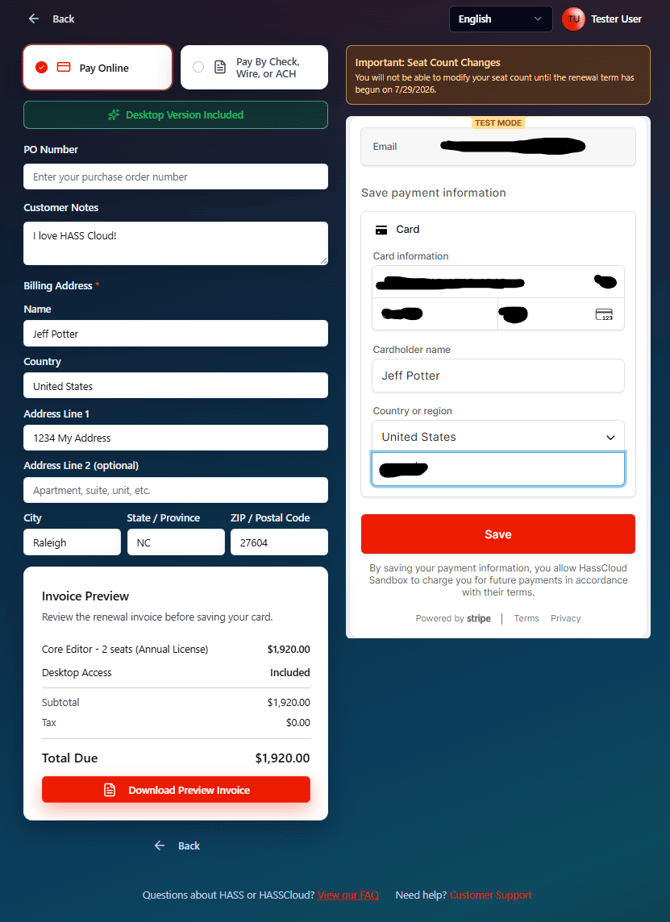
5a. (CARD PAYMENT) Now we will enter our address and payment information including a PO number if you have one. If paying by card enter those details here then click save. If paying by other methods see the next step.
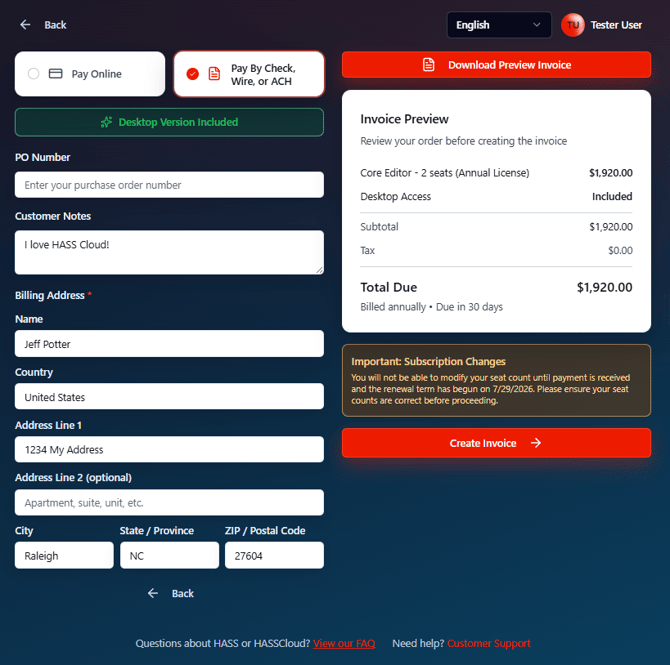
5b. (ACH PAYMENT) If paying by ACH enter your address information then you can click create invoice to generate your invoice.
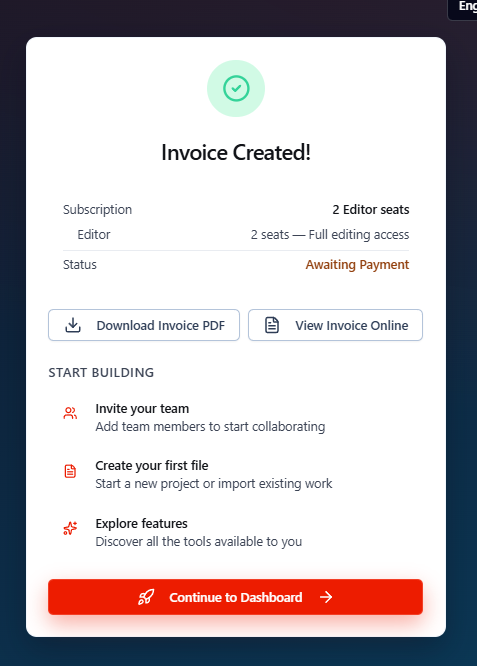
6a. (CARD PAYMENT) After you click save please wait for the payment processing to complete, once complete you can view or download your invoice, and then continue on to your HASS Cloud dashboard!
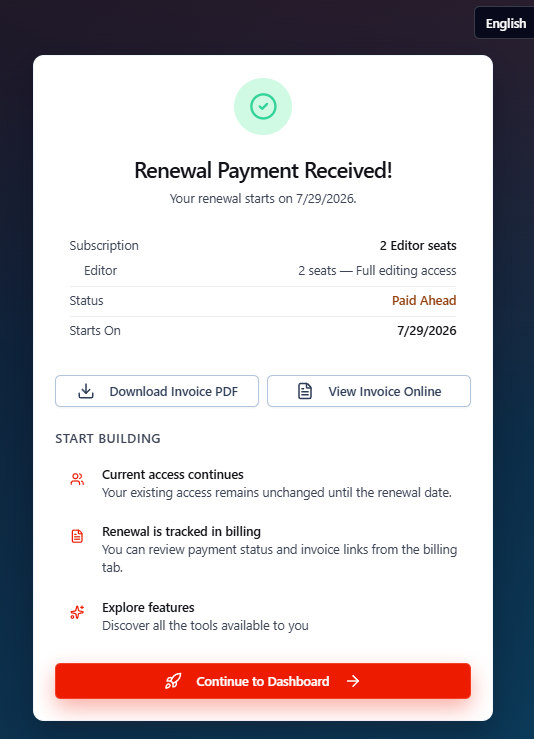
6b. (ACH PAYMENT) After you have clicked create invoice, please wait for it to process. Once complete you can view or download your invoice, and then continue on to your HASS Cloud dashboard! Instructions for check, wire, and ACH payments are provided in the downloaded invoice.