
Create new projects directly in the folder where you want the file to be stored.
Open target folder- Open the folder where you want to save the project.
- Select New Calculation from the left side of the file system.

- Enter the basic project details: Project Name, Description, Pipe Table, and Units. See Configure pipe tables for calculations for how Pipe Table settings affect runs.
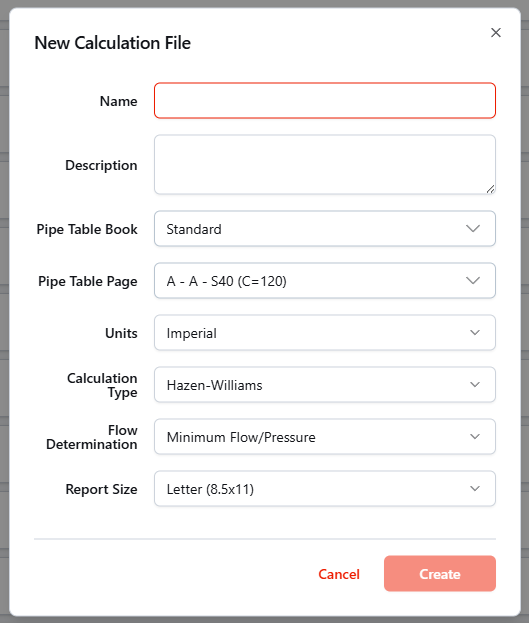
- Click Create to save and create the project. The new project is created in the folder that was open, then opens automatically.