
Share the project with team members, clients, or your Organization so they can access the same project file. You can share projects while in the file system or while in the project itself.
Share from file system
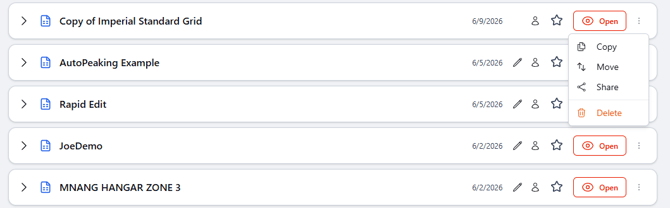
- To share a project in the file system, find the project you want to share, click the 3-dot menu, then select Share.
- To share a project while in the project, select the Share icon in the header.

- After selecting share, enter the email of the user you want to share the project with, their level of edit access, and click share.
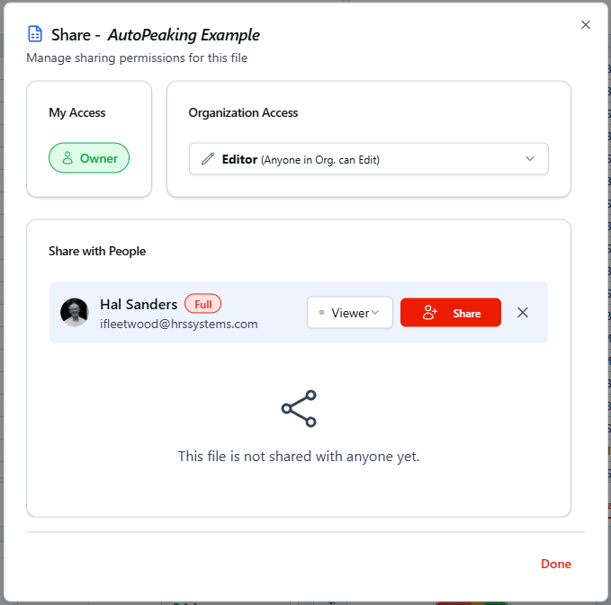
Available access levels:
- View: View only.
- Edit: Fully edit permissions, but cannot delete the project.
- Owner: Full access to edit and delete the project.