
Use the feedback form to share suggestions, usability improvements, and feature requests with the HRS development team.
Submit feedback
- Open File Menu and select Give Feedback.
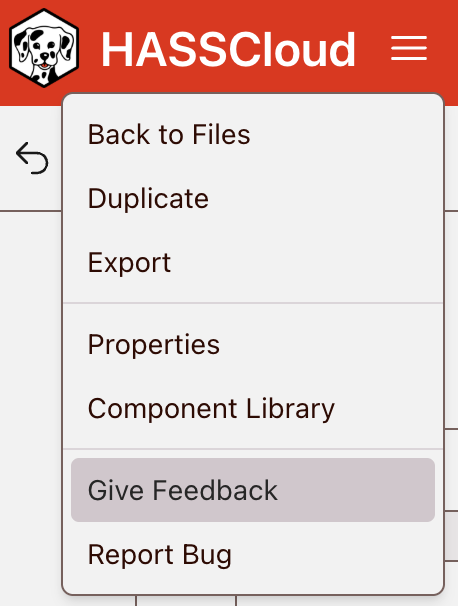
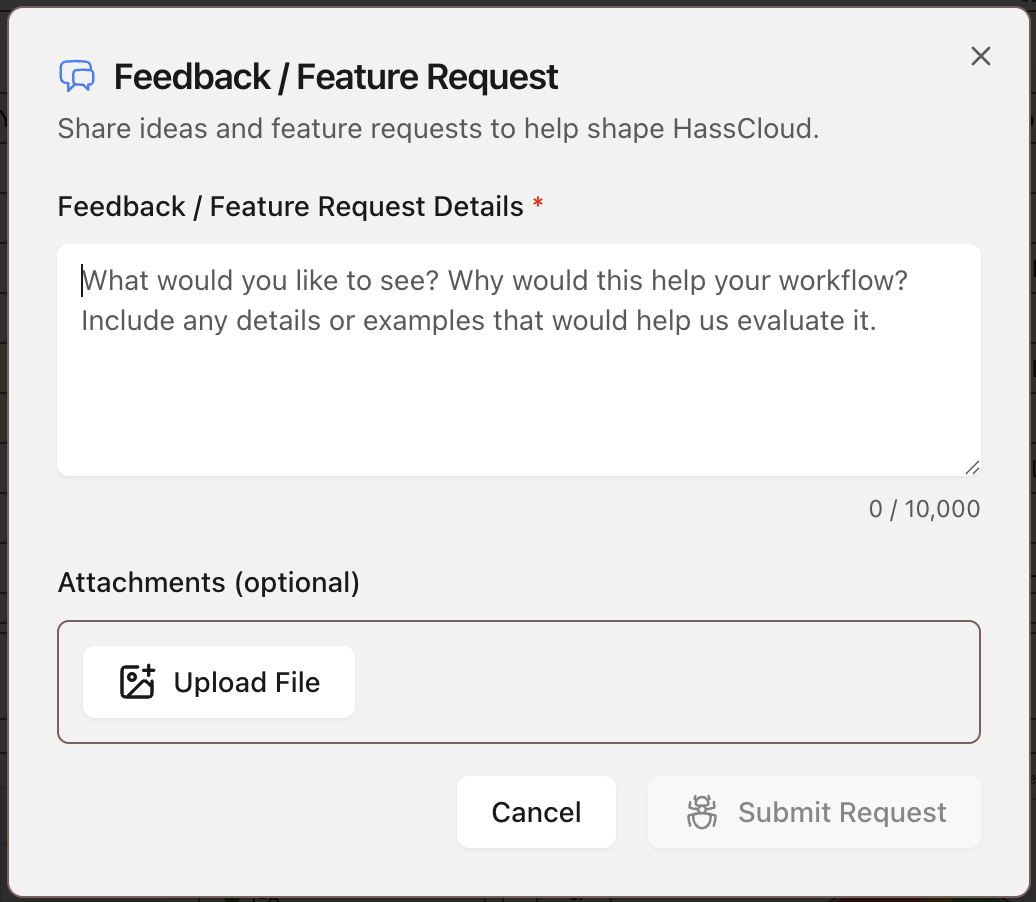
- Describe your feedback. Include details:
- What workflow or feature your feedback is about
- What is working well or not working well
- What change you would like to see
- Any visible message text related to your feedback
- Attach any files or screenshots that add context.
- Select Submit Request to submit.
When to give feedback
- Share feedback when you have suggestions to improve workflow speed, clarity, or usability.
- Share feedback when a feature works, but feels confusing or takes more steps than expected.
- Share feedback when documentation, labels, or UI behavior could be clearer for users.
Common feedback
- Navigation and UI: Menu layout, button naming, icon clarity, and page flow improvements.
- Data Input Experience: Table behavior, conversion actions, and faster entry workflows.
- Calculation Workflow: Criteria setup flow, defaults, and clarity of run outcomes.
- Results and Reporting: Dashboard readability, report format clarity, and export workflow improvements.
- Performance and Quality of Life: Responsiveness, repeated clicks, and common tasks that can be simplified.
- Suggesting a feature: New capabilities, missing workflow support, and high-impact feature requests.