
Use this page to onboard new users into HASS Cloud by inviting them to your organization and assigning editor licenses.
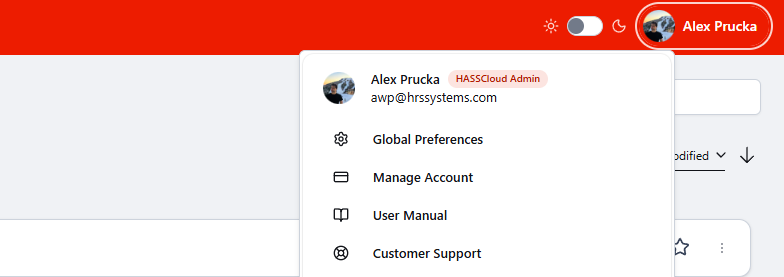
Step 1: Open Manage Account- Select your user profile button in the top-right corner.
- Select Manage Account.
Step 2: Invite Users to Your Organization
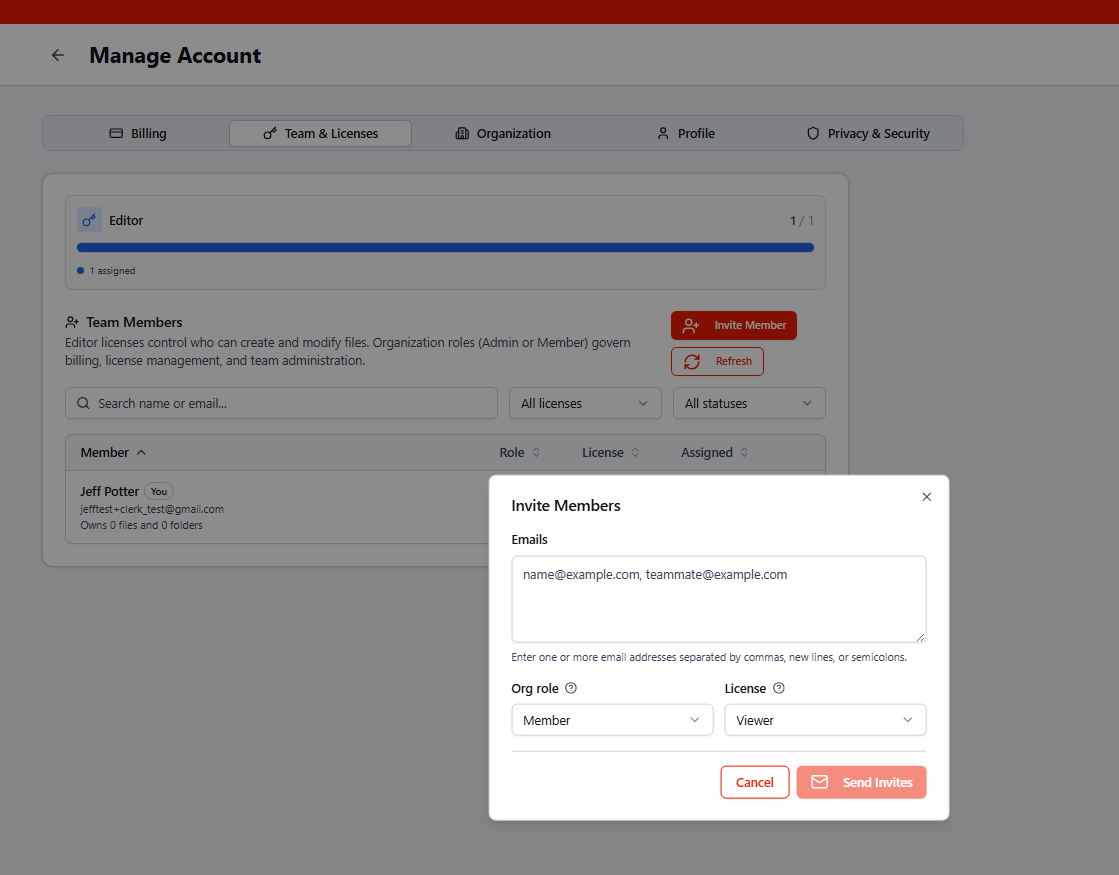
- Select Organization.
- Select Invite Member.
- Enter one or more member email addresses you want to invite to your organization. And set their role and license type.
- Select Send invites.
The invited user receives an email with a sign-in link. After they sign in to HASS Cloud at least once, you can assign an editor license to that user.
Until an editor license is assigned, the user remains a free View-Only user by default.
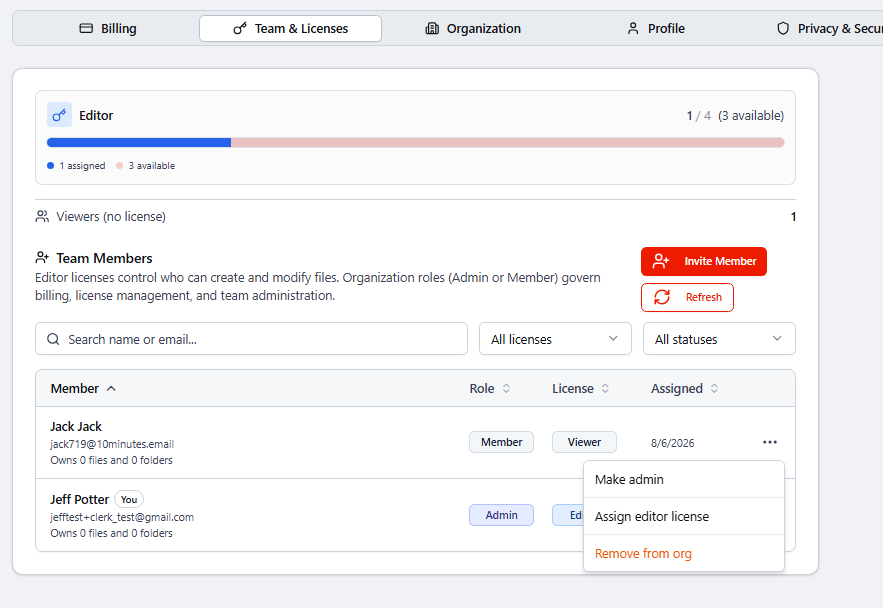
Step 3: Assign an Editing License- Select the Team & Licenses tab.
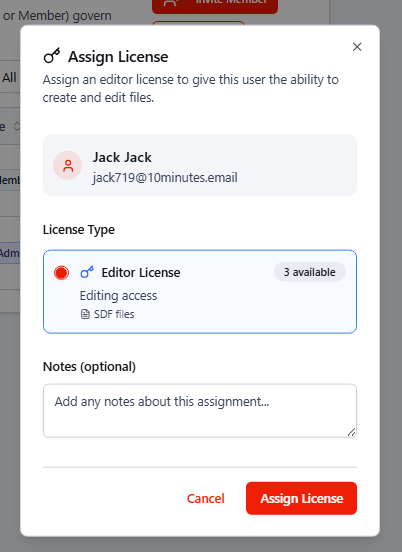
- In the team members list, find the user, select the 3 dos next to their name, the select Assign editor license.
- In the next screen select Assign License.
Once a license is assigned, the user should have full access to HASS Cloud. If they do not immediately see edit access or the ability to create files, have them refresh their browser window.
For more detail on license management, see Manage subscriptions and licenses.